
Stop Automating Your Workflow. You Haven't Earned it Yet.
Every workflow is a small software system. AI made the first 80% feel free, and the rest invisible.

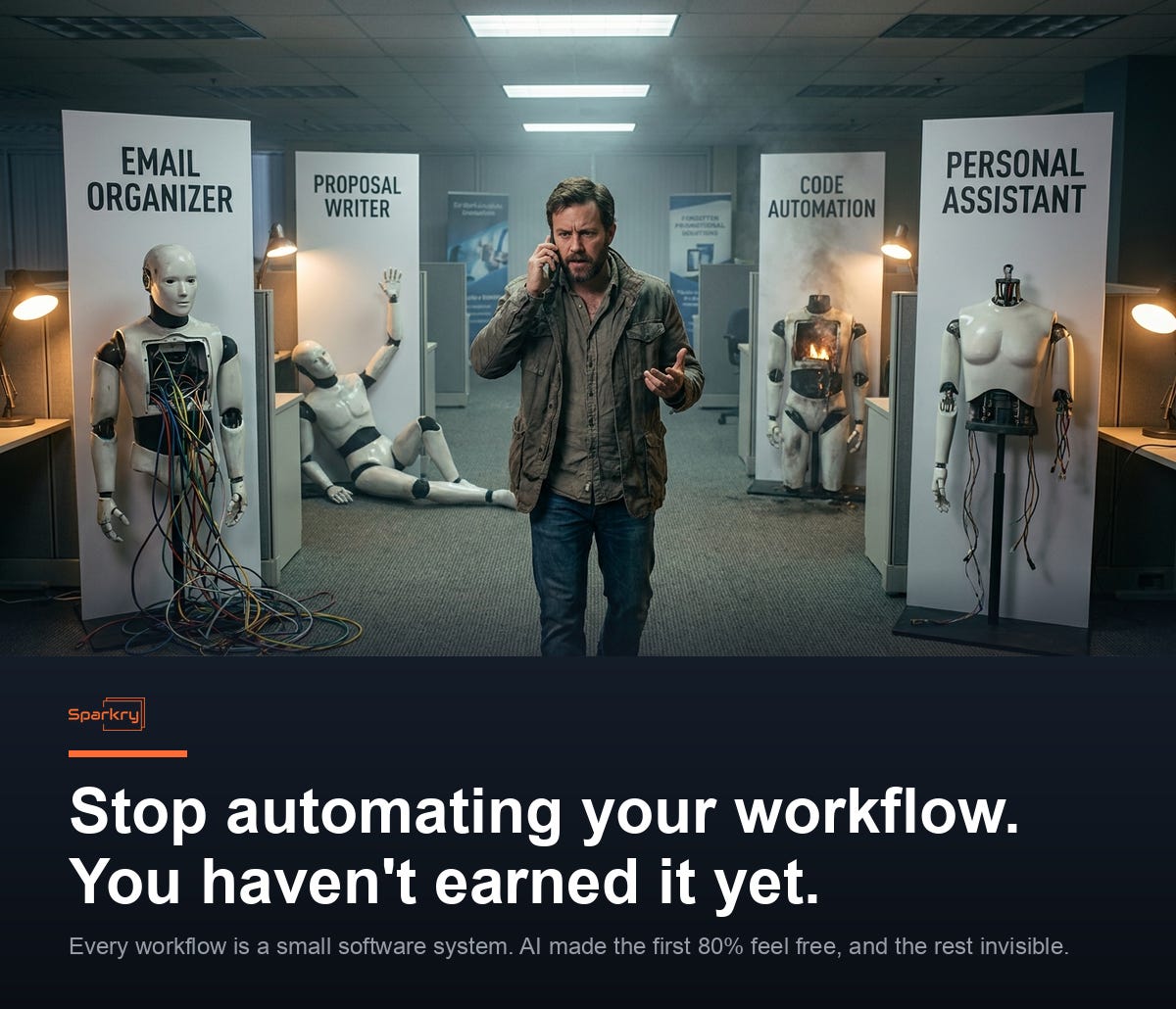
I have spent the last twelve months fighting my own content pipeline.
n8n first. Then Cursor. Then Lovable, where I built out a whole UI. Then Claude Code, where I started building skills around the entire use case. Then OpenClaw, where I could chat with my agents from Telegram and feel like a wizard. Every tool felt faster than the last.
It mostly wasn’t. I was building the idea of a content pipeline over and over again. The wiring kept changing because the tools kept getting better. The work didn’t ship because the work wasn’t the wiring. When I finally dug into one of these systems, most of it was theater. Pretty diagrams, agent names, a Telegram bot that felt magical. Underneath, not actual software.
I eventually sat down and built my own system, the way I wanted it, with the workflow hardened from the inside out. That has been great. It is also the most boring sentence in this article, and that is the entire point.
If you’ve watched yourself spin like this for the last year too, share this with one person who needs to read it.
Every workflow is a small software system
AI made building feel free. It isn’t.
Every workflow you build, even the smallest one, is a small software system. Inputs that change shape. Steps that fail in ways you didn’t anticipate. Someone downstream, often you, who has to trust the output enough to act on it. Software people have known how to handle that for forty years. None of it stopped being true because Claude can write the first 80% of it in three minutes.
What changed is the friction. The cost of starting to build a thing dropped to almost zero. The cost of running that thing every day without it falling over did not change at all.
That gap is the trap. AI builds the first 80% so fast that you keep starting new 80%-built things instead of finishing one. The graveyard fills up. The content pipeline still requires you to babysit it every morning.
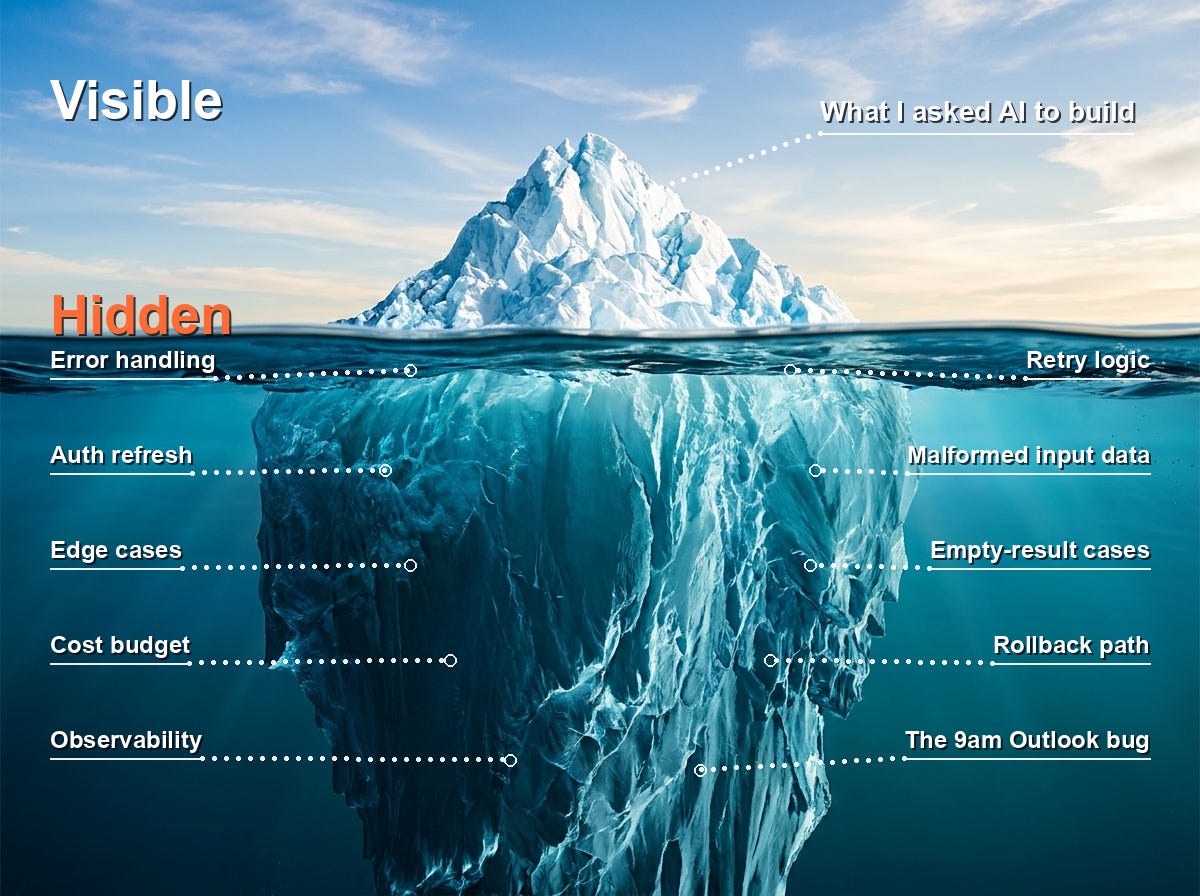
AI builds the visible thing and ignores the iceberg
Here is the part of this that’s new. The trap exists worse with AI than it did before AI, and it’s worth being specific about why.
I can think of a requirement in the moment, ask Claude to build it, and it does, right there, with confidence. The problem is that the one requirement I asked about was sitting on top of ten supporting requirements I never shared and never thought about. AI builds the visible thing. It ignores the iceberg. You don’t notice until day six, when the third RSS feed returns malformed XML and the whole pipeline silently produces an empty email.
The frame I use with coaching clients is to treat AI as a contractor you just hired. You wouldn’t hand a new contractor a vague brief and walk away on day one. You’d watch them work for a while. You’d check their output. You’d catch the things they assumed but you would never have assumed.
That is true of AI too. The only honest way to do it is to keep yourself in the loop until the loop has stopped surprising you.
The day the customer made me ship for real
Let me give you the counter-example, because all of the above is the wound, and you need to see the scar tissue.
A few months ago a customer needed a daily news digest for their team. Not a “nice to have.” A real ask, with a real audience, that would land in real inboxes every morning whether I was ready or not.
The build took half a day. Hundreds of RSS feeds, a Tavily search layered on top for the day’s news, AI generating a one-page email-friendly HTML output, a Power Automate script assembling the pieces and pushing the email out to the team.
The hardening took another week in production.
There were days the pipeline broke in ways I had not anticipated. A feed went down. A search returned nothing. The HTML rendered fine in my test client and exploded in Outlook. I caught these because I was watching the output the way I would watch a new hire’s first week of deliverables. None of it was visible at build time. All of it was visible at run time.
It has been running for a few weeks now. Every morning. No babysitting.
Here is the thing that gets me. I had been building a content pipeline for myself for twelve months and never got it to that level. The customer pipeline got there in two weeks. The difference wasn’t AI capability. The difference was that the customer was a forcing function, and the forcing function made me do the engineering I had been skipping when I was the only one watching.
If you’ve ever shipped something faster for a customer than for yourself, drop a comment. I’d love to hear what changed.
Earn the automation before you build it
Here is the rule I now use on myself, and the one I push my coaching clients to use too.
Run the workflow manually first. Not “manually” the way most people mean it, where you’re typing prompts into Claude one at a time and calling that manual. I mean actually run the steps yourself, on a real schedule, with real inputs, and watch what happens.
You’re looking for two signals:
Frequency. Are you running this thing multiple times a week? If the honest answer is “twice a month at most,” automating it is a hobby project.
Stability. Has the manual version stopped surprising you? Same inputs, same outputs, same shape, for weeks at a time? Or are you still discovering edge cases every Tuesday?
If both are green, you’ve earned the automation. The requirements are clear because you have lived them. The failure modes are obvious because you have hit them with your own hands.
If one isn’t green, you haven’t earned it yet, and automating now will cost more in maintenance than you’ll save in execution.
Before I let myself build the automated version, I run through four questions. They’re not exhaustive. They’re the ones I personally most often skip.
Do I actually need this now, or am I solving a cool problem? I’ll be honest, the answer for me is usually “cool problem dressed up as a real one.” Cool problems go in the someday folder.
Will automating take longer than running it manually for a few months? A two-week build that saves ten minutes a day breaks even around month eight. Be honest about whether you’ll still care in month eight.
Will it free me up for higher-value work, or just to start another half-automation?
Am I still learning what the requirements are? If yes, stop. Requirements discovered after automation cost ten times more to wire in.
A workflow that survives all four is one worth building. The rest, leave manual.
What to do Monday
If you’re a solopreneur building the tool that will run your business, the thing you’re tempted to build is a flashy automated version of a workflow you have not run for yourself enough times to know how it behaves. Run it manually for a month. You will be embarrassed by what you didn’t know. Build the automation after that.
If you’re an executive wondering why your team keeps shipping demoware that doesn’t survive production, this is what’s happening. Your engineers can build the first 80% of anything in an afternoon now. The maturation phase, the part where someone runs it manually and watches it fail, is the part everyone is skipping. The lever you have is simple: ask to see the manual run log before you fund the automation. If there isn’t one, you have your answer.
If you’re a developer with a graveyard of abandoned workflows in your ~/projects folder, the assignment is the same as mine was. Pick one. Just one. Run it by hand for two weeks. Then decide whether it’s worth automating or whether it goes in the graveyard for an honest reason this time.
Regardless of which one you are, the action is the same: stop building the next thing until you’ve run the current one manually long enough to know it. That’s the discipline. The whole article reduces to that one sentence.
The cool problems will still be there. Save them for free time.